


“I’m just not a tech person.”
How many times have you said that? Or thought it? Or used it as a reason to avoid learning a new tool, skip an opportunity, or stay stuck in manual processes that are draining your time and energy?
I hear this phrase constantly. From brilliant entrepreneurs. From seasoned professionals. From people who’ve built successful businesses from scratch—which, let’s be honest, requires incredible intelligence, resilience, and problem-solving skills.
But somehow, when it comes to technology, they’ve convinced themselves they’re incapable.
Here’s what I need you to understand: “I’m not tech-savvy” isn’t a personality trait. It’s a choice you’ve been making—and it’s a choice that’s costing you more than you realize.
The good news? It’s a choice you can unmake. And 2026 is the perfect time to do it.
Not because I’m trying to sell you on some tech fantasy. But because the gap between “tech-comfortable” entrepreneurs and “tech-avoidant” ones is widening so fast that within 12-24 months, one group will be thriving while the other is struggling to understand what happened.
Let me show you why.
SECTION 1: The Lie We Tell Ourselves (And Why We Believe It)
Subheading: Unpacking the “I’m Not a Tech Person” Myth

First, let’s be honest about where this belief comes from. Because it’s not actually about your capability—it’s about your experience.
The Origin Story of Tech Fear
Most people who say “I’m not tech-savvy” have one of these origin stories:
Story #1: The Childhood Label Someone (a teacher, parent, sibling) was “the tech person” in your family or school. You got labeled “the creative one” or “the people person” or “the business brain.” The unspoken message: tech isn’t for you.
Story #2: The Frustrating Failure You tried to learn some technology once—maybe building a website, using software, or fixing a computer problem. It was confusing and frustrating. You gave up. That experience confirmed your belief: “See? I’m just not good at this.”
Story #3: The Moving Target Every time you start to get comfortable with technology, it changes. New apps, new platforms, new terminology. You feel like you can never catch up, so why even try?
Story #4: The Comparison Trap You see “tech-savvy” people who seem to understand everything instantly. You assume they have some innate talent you lack. (Spoiler: they don’t. They just started learning earlier or weren’t afraid to look foolish while figuring things out.)
Sound familiar?
Here’s the truth bomb: None of these stories are about your ability. They’re about your mindset, your experience, and your willingness to be temporarily incompetent while you learn.
Let’s Test Your “Not Tech-Savvy” Claim
Answer these questions honestly:
- Can you use a smartphone?
- Can you send a WhatsApp message with a photo attached?
- Can you navigate Instagram or Facebook?
- Can you use Google to search for information?
- Can you watch a YouTube tutorial?
- Can you follow step-by-step instructions?
If you answered yes to even three of these, congratulations—you’re already more tech-savvy than you think.
Everything you just listed requires:
- Understanding interface design (where to tap, what buttons do)
- Following digital logic (cause and effect)
- Troubleshooting when something doesn’t work
- Learning new features as apps update
- Digital communication skills
These are the exact same skills needed to use business technology. The only difference? You’ve decided one category is “too hard for you” and the other is “normal.”
The Real Issue Isn’t Capability—It’s Confidence
Study after study shows that the biggest barrier to technology adoption isn’t intelligence or aptitude. It’s fear of looking stupid.
We avoid learning new technology because:
- We don’t want to ask “dumb questions”
- We’re embarrassed when we can’t figure something out
- We worry people will judge us
- We feel like everyone else already knows this stuff
But here’s the secret that tech-comfortable people know: Everyone feels dumb when learning something new. The difference is they do it anyway.
SECTION 2: What “Tech-Savvy” Actually Means (Hint: It’s Not What You Think)
Subheading: You Don’t Need to Be a Coder—You Need to Be a Learner

Let’s clear up a massive misconception.
When I talk about being “tech-savvy” for business, I’m not talking about:
- Writing code or programming
- Understanding how computers work internally
- Building apps or websites from scratch
- Becoming an IT expert
- Knowing every tech tool that exists
Being tech-savvy for business simply means:
1. You’re willing to try new tools instead of immediately saying “that’s too complicated”
2. You can follow tutorials and instructions to set up and use software
3. You’re comfortable with basic troubleshooting (i.e., Googling error messages)
4. You understand which categories of tools serve which business functions
5. You’re not afraid to explore and experiment with technology
That’s it. That’s the bar.
The Three Levels of Tech-Savvy (And Which One You Actually Need)
Level 1: Tech Creator
- Builds technology from scratch
- Understands programming, databases, architecture
- Can create custom solutions
- Do you need this as an entrepreneur? NO.
Level 2: Tech Implementer
- Can configure and customize existing tools
- Understands workflows and automation logic
- Connects different software together
- Do you need this as an entrepreneur? SOMETIMES, or you can hire it.
Level 3: Tech User
- Can learn and use existing software effectively
- Follows tutorials and instructions
- Knows which tool does what
- Do you need this as an entrepreneur? YES. ABSOLUTELY. THIS IS THE MINIMUM REQUIREMENT.
Most entrepreneurs think they need to be Level 1 or 2 to be “tech-savvy.” That’s why they avoid it. But you actually just need to be comfortable at Level 3—being a competent user of existing tools.
And here’s the beautiful truth: If you can use a smartphone, you’re already capable of Level 3. You just need to believe it and practice it.

SECTION 3: The Real Cost of Tech Avoidance in 2026
Subheading: What Happens When You Stay in Your Comfort Zone
Let me show you, with real numbers and real scenarios, what “I’m not a tech person” is actually costing you.
Scenario 1: The Manual Marketing Trap
Tech-Avoidant Approach:
- Manually create each social media post individually for each platform
- Time investment: 2 hours per day = 60 hours per month
- Can manage maybe 5 posts per week across 2 platforms
- Results: Inconsistent presence, lower engagement, missed opportunities
Tech-Savvy Approach:
- Use content scheduling tool (like Buffer, Hootsuite, or Later)
- Create one week’s content in one 2-hour batch session
- Schedule across 5 platforms automatically
- Time investment: 8 hours per month
- Results: Consistent presence, higher engagement, more time for actual business
Cost of avoidance: 52 hours per month = 13 days per year spent on a task that could be 75% automated.
What could you do with an extra 13 days?
Scenario 2: The Invoice Chase
Tech-Avoidant Approach:
- Manually create invoices in Word or Excel
- Manually email them to clients
- Manually track who’s paid and who hasn’t
- Manually send follow-up reminders
- Time investment: 5-8 hours per month for a small business
- Cash flow impact: Delayed payments because follow-ups are inconsistent
Tech-Savvy Approach:
- Use invoicing software (Wave, QuickBooks, FreshBooks)
- Automated invoice generation from templates
- Automatic payment reminders sent on schedule
- Real-time tracking of outstanding payments
- Time investment: 1-2 hours per month
- Cash flow impact: Faster payments due to automated reminders
Cost of avoidance: 6 hours per month + delayed cash flow + higher stress about money.
Scenario 3: The Customer Service Bottleneck
Tech-Avoidant Approach:
- Answer the same 10 questions repeatedly via email, WhatsApp, DMs
- Every inquiry requires your personal attention
- Customers wait hours or days for responses
- You can’t scale without hiring more people
- Time investment: 10-15 hours per week
Tech-Savvy Approach:
- FAQ page answers common questions (customers self-serve)
- Chatbot handles basic inquiries 24/7
- Automated email responses acknowledge receipt and set expectations
- CRM tags and organizes inquiries so you respond efficiently
- Time investment: 3-5 hours per week
Cost of avoidance: 10 hours per week = 520 hours per year = 13 full work weeks answering questions a simple system could handle.
Now Let’s Talk Money
If your time is worth ₦5,000 per hour (a conservative estimate for a business owner):
- Manual marketing waste: 52 hours/month × ₦5,000 = ₦260,000/month = ₦3,120,000/year
- Invoice management waste: 6 hours/month × ₦5,000 = ₦30,000/month = ₦360,000/year
- Customer service waste: 40 hours/month × ₦5,000 = ₦200,000/month = ₦2,400,000/year
Total annual cost of tech avoidance in just these three areas: ₦5,880,000
And that’s just the time cost. We haven’t even factored in:
- Lost revenue from missed opportunities while you’re buried in manual tasks
- Lost customers due to slow response times
- Lost growth because you can’t scale without proportional effort increase
- Lost peace of mind from constantly feeling behind
Tech avoidance isn’t saving you from complexity. It’s costing you your business’s potential.
SECTION 4: The Myths That Keep You Stuck (And the Truth That Sets You Free)
Subheading: Debunking the Top 5 Technology Excuses
Let’s address the specific stories you’re telling yourself about why you can’t or shouldn’t learn technology:
Myth #1: “I’m Too Old to Learn This Stuff”
The Lie: Technology is for young people who grew up with it.
The Truth: Age has nothing to do with learning capacity. My oldest successful student was 68 when she learned to automate her consultancy business. She now serves twice as many clients with better systems than consultants half her age.
The Science: Neuroplasticity—your brain’s ability to learn new things—doesn’t significantly decline until very late in life, and only if you stop challenging yourself. Learning new technology actually keeps your brain sharp.
Myth #2: “It’s Too Expensive”
The Lie: Good technology tools cost thousands of dollars.
The Truth: Most of the powerful tools entrepreneurs need have free versions or cost less than ₦20,000 per month. That’s less than hiring a part-time assistant who does a fraction of what the software can do.
Examples:
- Canva (design): Free or ₦5,000/month
- MailerLite (email marketing): Free up to 1,000 subscribers
- Trello (project management): Free
- ChatGPT (AI assistant): Free basic version, ₦8,000/month for premium
- Calendly (scheduling): Free basic version
Myth #3: “I Don’t Have Time to Learn”
The Lie: Learning new technology takes months of intensive study.
The Truth: Most business tools are designed to be learned in hours, not months. A focused weekend can transform your business.
Reality Check:
- Learning to use a scheduling tool: 1-2 hours
- Setting up email automation: 2-4 hours
- Getting comfortable with AI writing assistance: 3-5 hours
- Implementing a customer management system: 4-8 hours
That’s 10-20 hours total to transform the four biggest time sinks in most businesses. You probably spend more time than that per month on manual processes.
Myth #4: “My Customers Prefer the Personal Touch”
The Lie: Using technology makes your business impersonal.
The Truth: Technology frees you up to be MORE personal where it actually matters.
Think about it:
- Would your customers rather wait 2 days for a response to a simple question, or get an instant answer from a chatbot that then connects them to you for complex issues?
- Would they rather receive generic content because you don’t have time to segment, or receive highly relevant, personalized content because automation handles the sorting?
- Would they rather get inconsistent service depending on your stress level, or consistent excellence because systems ensure quality?
Technology isn’t replacing the human touch. It’s making sure you have energy left to provide it.
Myth #5: “If I Learn This, It’ll Just Change and I’ll Have to Start Over”
The Lie: There’s no point learning technology because it keeps changing.
The Truth: Core technology concepts stay the same. Surface features change.
Analogy: Learning to drive doesn’t become useless when car models change. The fundamentals (steering, braking, accelerating) transfer. Learning business technology is the same.
Once you understand:
- How email automation works
- How customer data management works
- How content scheduling works
- How AI assistance works
…you can adapt to new tools easily because the underlying concepts don’t change. You’re not starting from zero—you’re transferring knowledge.
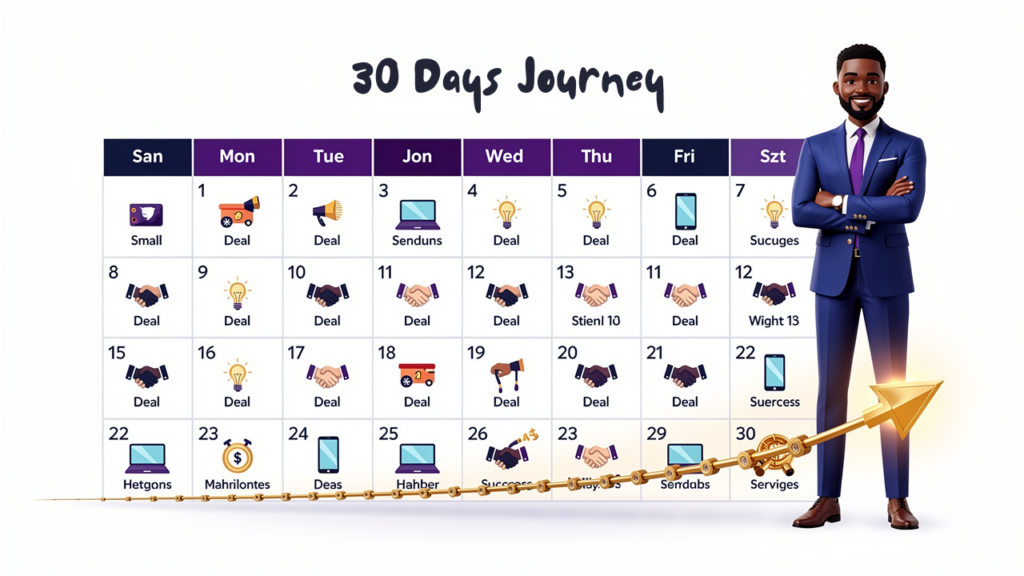
SECTION 5: The Simple Framework: From Tech-Afraid to Tech-Empowered in 30 Days
Subheading: Your Month-Long Transformation Plan
Enough theory. Let’s talk practical action. Here’s your roadmap from “I’m not a tech person” to “I’m competent with the tools my business needs.”
WEEK 1: Assessment & Mindset Shift
Day 1-2: Honest Inventory Write down every manual task you do regularly in your business. Everything. Don’t filter yet.
Day 3-4: Priority Ranking From your list, mark:
- Tasks that frustrate you most (emotional cost)
- Tasks that take longest (time cost)
- Tasks you do most frequently (frequency)
Day 5-6: Research Mode For your top 3 pain points, Google: “[task name] + automation tool” or “[task name] + software for small business”
Just browse. Read reviews. Watch 2-3 YouTube videos showing tools in action. You’re not committing to anything—just getting familiar with what’s possible.
Day 7: Mindset Reset Write this down and stick it where you’ll see it daily:
“I am capable of learning any tool I need. Temporary confusion is part of growth, not proof of inability. Every tech-savvy person was once exactly where I am now.”
WEEK 2: First Win—Pick One Tool and Master It
Day 8-9: Choose Your First Tool Based on Week 1 research, pick ONE tool that addresses your biggest pain point. Choose based on:
- Has good reviews
- Has video tutorials available
- Offers free trial
- Doesn’t require technical setup (no coding, no complicated installation)
Day 10-11: Learning Time
- Sign up for free trial
- Watch 2-3 beginner tutorials
- Follow along and actually do what they show (don’t just watch passively)
- Take notes on what you don’t understand
Day 12-14: Implementation
- Use the tool for a real business task
- It will feel awkward—that’s normal
- When you get stuck, Google “[tool name] + [specific problem]”
- Join the tool’s user community (Facebook group, Discord, forum) and ask questions
Expected Outcome: By end of Week 2, you’ve actually USED a business tool successfully. That’s your proof you can do this.
WEEK 3: Expand and Reinforce
Day 15-17: Deep Dive
- Use your Week 2 tool every day for three days
- Explore features beyond the basics
- Set up templates or saved workflows
- Document your process (write down the steps you follow—this helps it stick)
Day 18-19: Teach Someone This is the secret weapon for cementing knowledge: explain what you’ve learned to someone else.
- Record a video showing how you use the tool
- Write a brief guide
- Show a colleague or family member
Teaching forces you to understand it deeply.
Day 20-21: Measure Impact Compared to before using this tool:
- How much time are you saving?
- How has quality or consistency improved?
- How does it feel to have this previously manual task handled?
Write down your wins. This builds momentum.
WEEK 4: Systematize and Scale
Day 22-24: Choose Tool #2 Now that you’ve proven you CAN learn technology, pick your second tool. Use the same process.
Day 25-27: Integration Make your tool usage part of your routine:
- Block time on your calendar: “Use [Tool] for [Task]”
- Set up triggers: “Every Monday morning, I schedule social content”
- Create checklist: Step-by-step for using the tool
Day 28-30: Reflection and Planning
- What did you learn about yourself?
- What’s easier than you expected?
- What’s your next technology goal?
- Who could help you stay accountable?
By Day 30: You’ve transformed from “I’m not a tech person” to “I’m a business owner who uses technology strategically.”
SECTION 6: The Support System You Need
Subheading: You Don’t Have to Figure This Out Alone
One reason people stay tech-avoidant is they think they have to learn everything in isolation, feeling dumb and frustrated while everyone else seems to get it.
That’s not how learning works. You need support.
Resource Type #1: Free Video Tutorials
For almost every business tool, there are free YouTube tutorials. Search:
- “[Tool name] for beginners”
- “How to set up [Tool name]”
- “[Tool name] tutorial 2026”
Pro tip: Look for tutorials from the past 6-12 months (tools update, so old tutorials may be outdated).
Resource Type #2: Tool-Specific Communities
Most popular business tools have:
- Facebook groups
- Discord channels
- Reddit communities
- Official user forums
Join them. When you get stuck, ask questions. People LOVE helping beginners—it makes them feel expert.
Resource Type #3: Structured Learning
Sometimes you need more than random YouTube videos. You need a curriculum. That’s where programs like Jitepreneur Academy come in—structured paths that take you from “never used this” to “confidently implementing it.”
Resource Type #4: Accountability Partners
Find one other entrepreneur who’s also committed to becoming more tech-comfortable. Check in weekly:
- What tool did you try?
- What worked?
- What confused you?
- What’s next?
Shared struggle makes it way easier.
Resource Type #5: Paid Support (When Needed)
Some tools or setups benefit from hiring help:
- Virtual assistant who already knows the tool (they set it up, you learn to use it)
- One-time consultation with an expert (₦20,000-₦50,000 can save you days of frustration)
- Implementation service (for more complex setups)
This isn’t admitting defeat—it’s strategic resource allocation. Would you rather spend 15 hours frustrated trying to figure out email automation setup, or pay ₦30,000 to have someone set it up in 2 hours while teaching you how to use it?

SECTION 7: What Life Looks Like After the Shift
Subheading: The Confidence That Changes Everything
Let me tell you what happens when you stop saying “I’m not a tech person” and start saying “I’m learning the tech I need.”
The Immediate Changes:
1. You Stop Feeling Left Behind When someone mentions a new tool or technology trend, instead of panic or avoidance, you think: “Interesting. I wonder if that would help my business. Let me look into it.”
2. Opportunities Become Obvious You start seeing automation opportunities everywhere. “Wait, I could automate that too!” becomes a regular thought.
3. Problem-Solving Gets Easier Instead of “I can’t do that because I’d need expensive help,” you think: “There’s probably a tool for that. Let me research.”
4. Your Confidence Compounds Each tool you master makes the next one easier. Not because the tools get simpler, but because you trust your ability to figure things out.
The Long-Term Impact:
Year 1 After the Shift:
- You’re using 5-8 key tools competently
- You’ve reclaimed 15-20 hours per week
- Your business runs more smoothly
- You’re less stressed about operations
Year 2:
- You’ve scaled to handle 50-100% more business without hiring proportionally
- You’ve developed a reputation for being responsive and organized
- Other entrepreneurs ask YOU for tech recommendations
- You wonder how you ever ran a business without these systems
Year 5:
- Technology is just part of how you think about business
- You adapt to new tools easily because you trust your learning ability
- You’ve taught others (team members, mentees) how to use technology effectively
- “I’m not a tech person” feels like something from a different lifetime
The Ripple Effects:
This shift affects more than just business:
Personal Life:
- You’re more willing to try new apps that could help (fitness tracking, finance management, learning platforms)
- You teach your kids/family members to be tech-comfortable instead of tech-afraid
- You model growth mindset in action
Professional Credibility:
- Clients trust you more because your systems are professional
- Partners want to work with you because you can keep up
- Opportunities come your way because people see you as current and capable
Mental Health:
- Less anxiety about “falling behind”
- Less frustration with manual processes
- More pride in your business operations
- Better work-life balance due to automation
All from changing one belief: “I’m not a tech person” → “I can learn what I need.”
SECTION 8: The 2026 Reality Check
Subheading: Why This Year Is Different
I want to be direct with you about timing.
We’re at an inflection point. Not in 5 years. Not “someday.” Right now.
Here’s what’s different about 2026:
1. AI Has Democratized Technology
Five years ago, using business technology required technical skills. Today, AI assistants can:
- Write the formulas in your spreadsheets
- Explain how to use a tool in plain language
- Troubleshoot errors you encounter
- Even set up basic automations for you
You literally have a technology tutor available 24/7 for free (or ₦8,000/month for premium version).
There has never been a better time to learn because you have AI helping you learn.
2. The Tools Have Never Been More User-Friendly
Compare:
- 2015: Business software required training courses and technical implementation
- 2026: Modern tools are designed for non-technical users, with drag-and-drop interfaces and guided setups
3. The Cost of Entry Has Never Been Lower
Most powerful tools offer:
- Free versions that are genuinely useful
- Free trials so you can test before committing
- Month-to-month pricing (no annual lock-in)
- Prices under ₦20,000/month for premium versions
4. The Opportunity Cost of Waiting Has Never Been Higher
Your competitors are learning this stuff. Your industry is going digital. Your customers expect digital convenience.
The gap between tech-comfortable and tech-avoidant businesses is widening daily.
By 2027:
- Businesses using automation and AI will have 2-3X the capacity of manual businesses
- Customer expectations will assume digital convenience (instant responses, online booking, automated follow-ups)
- The “manual business” approach will seem as outdated as cash-only businesses seem today
You can either close the gap now while it’s still manageable, or try to catch up later when it’s overwhelming.
SECTION 9: Your New Year Declaration
Subheading: The Commitment That Changes Everything
Here’s what I want you to do right now—not later, not when you feel ready, but literally right now:
Say this out loud:
“I am not ‘not a tech person.’ I am a capable entrepreneur who simply hasn’t prioritized learning technology yet. That changes today.”
Seriously. Say it. Out loud.
Because here’s the thing about identity: we become what we declare ourselves to be.
As long as you identify as “not a tech person,” you’ll find evidence to support that belief. You’ll avoid opportunities to learn. You’ll give up when things get confusing. You’ll let the label become a self-fulfilling prophecy.
But when you shift your identity to “entrepreneur who is learning technology,” everything changes. Confusion becomes expected (of course I’m confused—I’m learning something new). Mistakes become data (okay, that didn’t work—let me try a different approach). Progress becomes inevitable (I might not know this today, but I will soon).
Your 2026 Technology Declaration
Fill in these blanks and write them somewhere you’ll see daily:
- “By March 31, 2026, I will be competently using [TOOL NAME] to handle [SPECIFIC TASK].”
- “By June 30, 2026, I will have automated/systematized [BUSINESS PROCESS] using [TOOL/METHOD].”
- “By December 31, 2026, I will have reclaimed at least [NUMBER] hours per week through technology adoption.”
Examples:
- By March 31, 2026, I will be competently using Calendly to handle all my appointment scheduling.
- By June 30, 2026, I will have automated my customer onboarding process using email sequences and CRM tagging.
- By December 31, 2026, I will have reclaimed at least 15 hours per week through technology adoption.
Make these specific. Make them measurable. Make them matter to YOU.

CLOSING CALL TO ACTION
The Choice Is Simple (But Not Easy)
You can continue telling yourself “I’m not a tech person” and watch the gap widen between where you are and where you want to be.
Or you can decide that 2026 is the year you stop letting fear of technology limit your business potential.
If you’re ready to choose growth over comfort, I want to help.
[Download the Free “Tech-Afraid to Tech-Empowered Starter Guide”]
Inside, you’ll get:
- The 30-Day Transformation Roadmap (detailed daily actions to go from tech-afraid to tech-confident)
- The Essential Tools Guide (which tools to learn first based on your business type)
- The Confidence-Building Exercises (mindset shifts that make learning easier)
- The Troubleshooting Cheat Sheet (what to do when you get stuck)
- Video Series: Watch me teach a complete beginner to set up their first business automation in under an hour
[Get Your Free Guide Now]
Plus, join our weekly newsletter where we feature one technology tool every week with plain-language tutorials, real business use cases, and step-by-step guidance. No jargon. No assumption that you already know this stuff. Just patient, practical teaching.
Because “I’m not a tech person” is not a permanent state—it’s just where you’re starting from.
By this time next year, when someone mentions a new tool or technology, you’ll think: “Interesting. Let me check it out.”
And that simple shift in mindset will have transformed your business in ways you can’t yet imagine.
The year 2026 doesn’t care if you’re ready.
But I’m here to help you get ready.
Let’s do this together.